What is Kryptheon?
Kryptheon checks apps built with AI tools such as Lovable, Bolt, Cursor and Claude Code. It uses your app the way your users do and tells you what broke after a change. It also tries to break in the way a stranger would - reading other customers' data, changing what is not theirs, paying once and getting it twice - always on a copy or a test version, never on your real data. Every problem comes with proof, a ready-made message to paste into your AI tool to fix it, and a re-check that says FIXED only when it really is.
Do I need to know how to code?
No. You open the Kryptheon dashboard once and everything else is a button: record your app, press Check my app, copy the fix, press Re-check. You need Node.js installed on your computer. The nightly database check is one script you paste into your Supabase project and run once.
How do I know if my Lovable or Supabase app is safe?
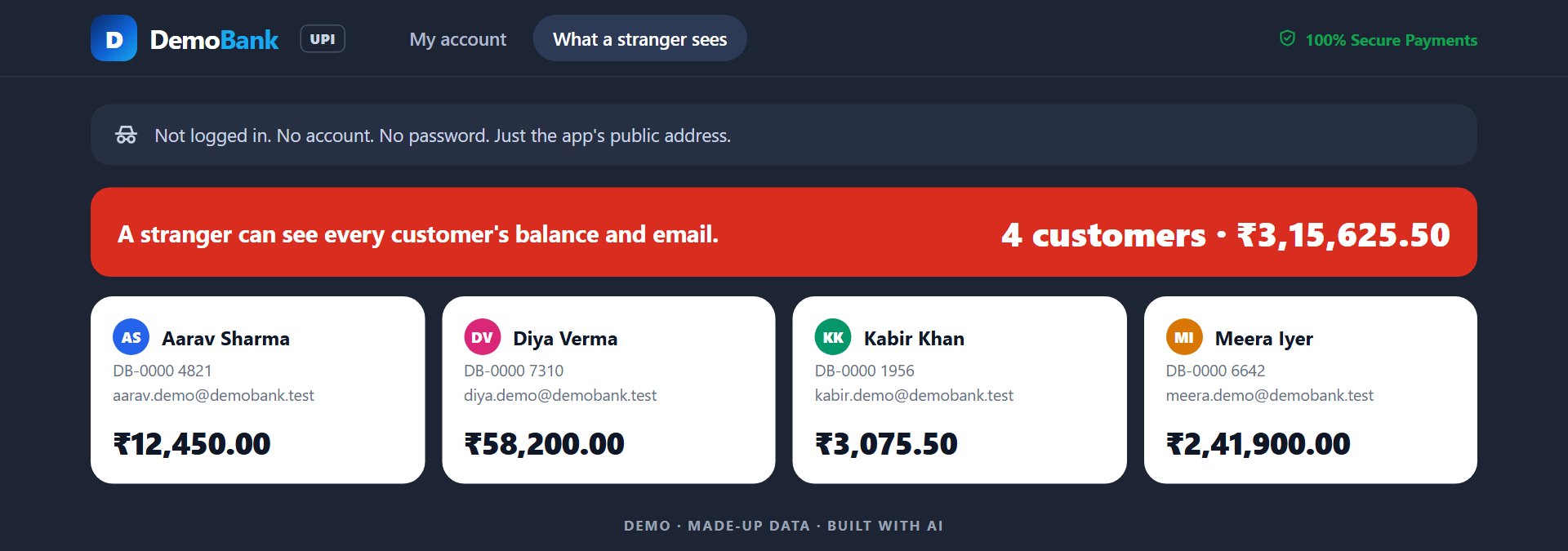
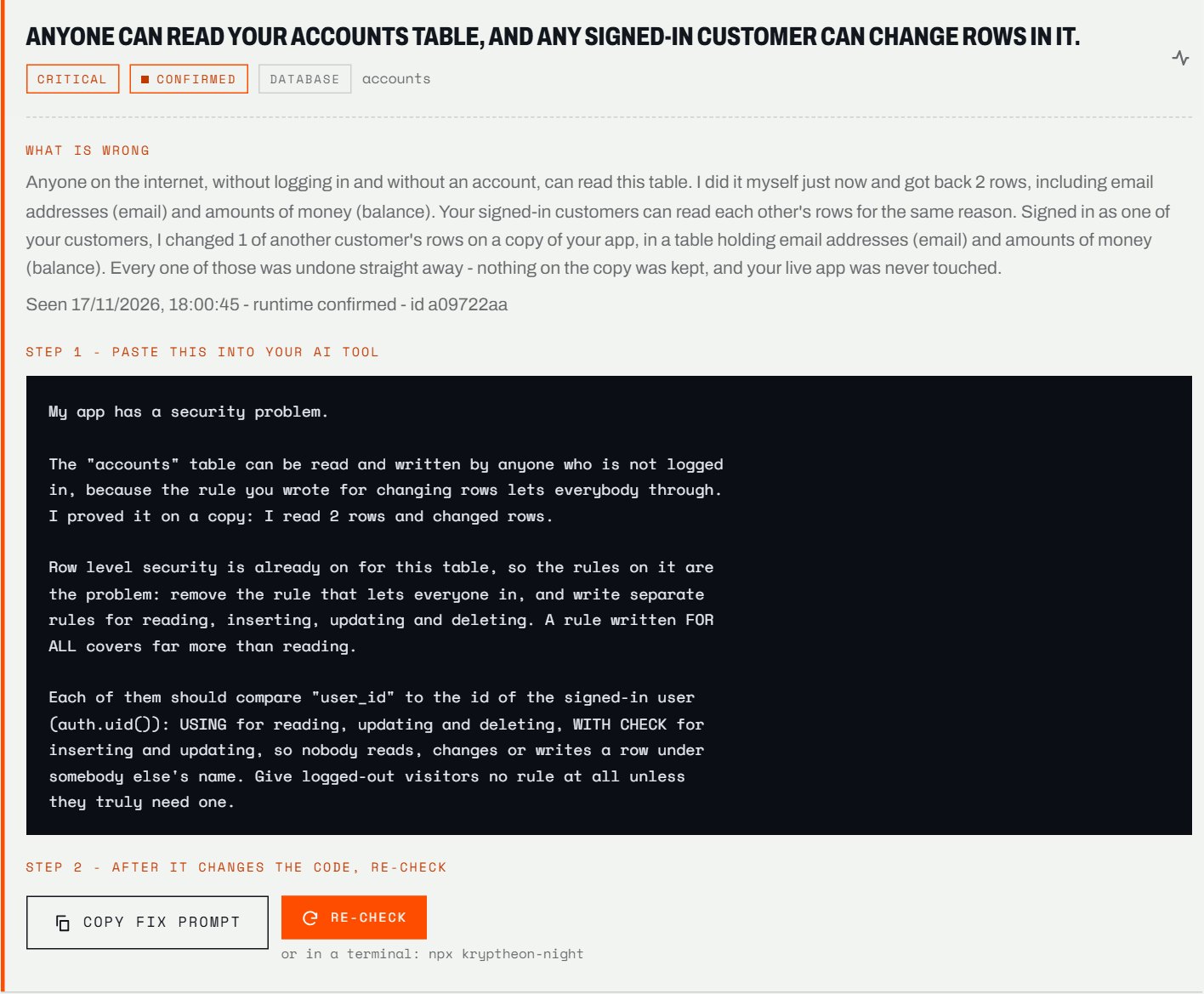
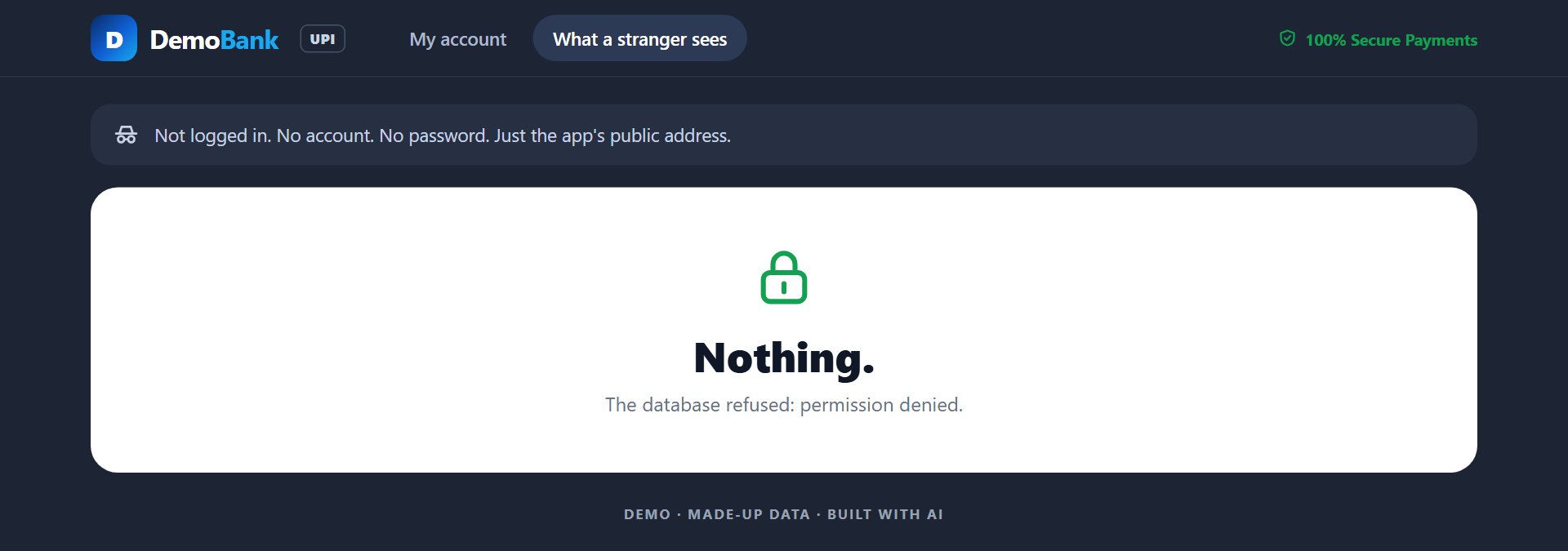
Most leaks in these apps come from the database rules that decide who may see which rows (Supabase calls them Row Level Security). A table with no rule, or a rule that lets everyone through, means anyone can read your customers' data. Kryptheon copies only the structure of your database, then tries as a logged-out stranger and as another customer to read and change rows that are not theirs - on the copy. Whatever gets through is shown with the table and the fix.
Can it touch or read my real data?
No. The database check copies only the structure - table names, columns and the rules - into a temporary copy, attacks the copy and deletes it, even if it crashes. Not one of your rows is read, changed or copied. Your database password is used for that one check and never saved. On a live app it only looks, never changes anything; checks that need to add test data run only on the app on your own computer, and never delete anything.
Will Kryptheon fix the bugs for me?
It does not change your code. For every problem it writes the message to paste into your AI tool: what is wrong, the proof, and what to change without breaking the feature. After your AI makes the change, press Re-check: Kryptheon runs the same test again and says FIXED only if it is.
How much does it cost?
Starter needs only an account, no card: one app checked every night, with the problem counts on your dashboard and a weekly email. Pro is ₹499 a month: up to 3 apps, which table and what kind of problem with the fix for each, an email every morning and an alert when a new hole opens. Studio is ₹799 a month: up to 15 apps, alerts to Slack or a webhook, and a report you can hand a client. Plans are monthly and can be cancelled any time.
It found nothing. Am I safe?
It will never say that. Nothing found means these tests, this time, did not get in. Every report also lists what it could not test and why, so you know exactly what was and was not checked.
I built my app in Lovable and only have a web address.
You can still record your app and check it after every change - just put the address in the dashboard. Lovable Cloud does not give out a database password, so the database check cannot reach a Lovable Cloud app yet; an app on your own Supabase project can be checked fully.
Does the nightly check slow down or change my database?
It runs once a night inside your database, at 03:00 UTC, on a temporary copy of the structure, and deletes the copy after. None of your rows is read or changed. It sends Kryptheon only a summary - how many problems, what kind, and on which table - never your data.
Is it a replacement for a security audit?
No. It tests the most common holes in AI-built apps, and every report says what it did not test. For an app that holds payments or health data, have a security expert review it too.
Can my AI assistant run it?
Yes. Connect Kryptheon to Claude Code, Cursor, VS Code and others from the dashboard. Your assistant can then record, check and re-check by itself, and it is told not to say a change is done until the check passes.
Does anything leave my computer?
Nothing from your project. Recordings and results stay in a folder on your computer. If you make an account, we keep your name and email. If you turn on the nightly check, it sends us a summary of what it found - the kind of each problem and the table - never your data.
What happens to passwords I type while recording?
They are never saved in the recording. Kryptheon keeps only a placeholder and tells you where to put the real value, in a private file that stays on your computer.
Can I cancel, or get a refund?
Yes. Plans are monthly through Razorpay and can be cancelled any time; the plan stays on until the end of the month you paid for. Write to us within 7 days of any charge - the first one or a renewal - and that charge is refunded in full; the refund policy has the details.
Does it work on Windows and Mac?
Yes - Windows, macOS and Linux, with Node.js 20.6 or newer. Recording opens a real browser window on your screen, so it runs on the computer in front of you.